

Best wireless mice for work vary widely depending on how and where you use them. Five research-based picks for different work styles, from portable setups to productivity-focused desks.
Pebble 2 M350s
Portable
MX Master 3S
Productivity
MX Anywhere 3S
Travel
Lift
Ergonomic
Microsoft Surface Precision
Windows-focused
Research-based guide: Smart Desk has not independently hands-on tested these products. Picks are based on published specifications, product information, design features, and intended use.
Quick Picks
Logitech Pebble 2 M350s
Best for Simple, Portable Work
Compact, Bluetooth, 3 devices
Logitech MX Master 3S
Best for Productivity-Focused Desks
Scrolling, customization, and multi-device
→: Best Wireless Mice for Work in 2026Logitech MX Anywhere 3S
Best for Portable productivity
Compact, tracking, scrolling
→: Best Wireless Mice for Work in 2026Microsoft Surface Precision Mouse
Best for Windows
Ergonomic, customization, smooth scrolling
→: Best Wireless Mice for Work in 2026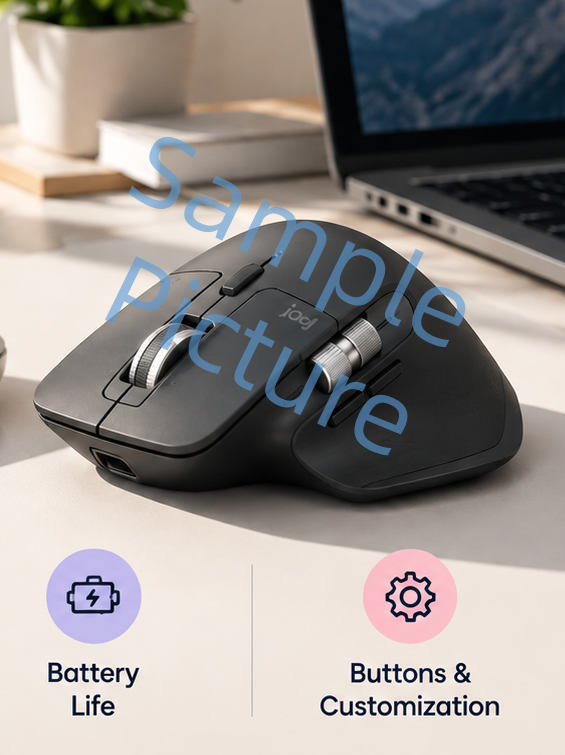
Logitech Pebble 2 M350s — Best for Simple, Portable Work
- Compact and lightweight design
- Bluetooth connectivity
- Up to 3 devices
- Silent Touch clicking
- Compatible with Windows, macOS, iPadOS, and Android
- Customizable middle butto
The Logitech Pebble 2 M350s is designed around portability and simplicity.
Its compact shape makes it easy to carry with a laptop, while Bluetooth connectivity and Easy-Switch allow it to connect with up to three devices.
It also uses Logitech’s Silent Touch technology, which the company says reduces click noise by 90%.
Best for
√
Laptop users
√
Home and hybrid workers
√
Students
√
Minimalist desk setups
√
People who frequently carry their mouse
Limitaion
×
Extensive controls
×
Advanced ergonomic features
Logitech MX Master 3S — Best for Productivity-Focused Desks
- Up to 8,000 DPI tracking
- MagSpeed electromagnetic scrolling
- Seven customizable buttons
- Bluetooth + Logi Bolt
- Up to 3 devices
- USB-C rechargeable battery
- Up to 70 days of rated battery life
- Quiet Click technology
The MX Master 3S is aimed at users who spend most of their working time at a desk.
It combines an 8,000 DPI sensor with MagSpeed electromagnetic scrolling, seven customizable buttons, Bluetooth and Logi Bolt connectivity, and support for up to three devices.
Its larger 141 g design is substantially more substantial than a compact travel mouse, but that is part of its desk-focused design.
Best for
√
Desk-based productivity
√
Multi-device workflows
√
Long documents and spreadsheets
√
Users who want customizable controls
√
Users who prefer a larger right-handed mouse
Limitaion
×
Large, heavy
×
Designed for right-handed use
Read the full Logitech MX Master 3S Review for a more detailed look at its features and limitations.
Logitech MX Anywhere 3S — Best for Portable Productivity
- Compact design
- Up to 8,000 DPI tracking
- MagSpeed scrolling
- Quiet Clicks
- Up to 3 devices
- USB-C charging
- Up to 70 days of rated battery life
The MX Anywhere 3S sits between a compact travel mouse and a larger productivity mouse.
It supports up to three devices over Bluetooth and includes Logitech’s MagSpeed scrolling system. Logitech also rates its battery for up to 70 days on a full charge, with up to three hours of use from a one-minute quick charge.
Compared with the MX Master 3S, its smaller form makes it more suitable for users who move between desks or regularly work away from home.
Best for
√
Hybrid workers
√
Frequent travelers
√
Laptop users
√
People who want productivity features without a large mouse
Limitaion
×
Less physical space
×
Fewer dedicated controls
Logitech Lift — Best for an Ergonomic Work Setup
- 57-degree vertical design
- Designed for small to medium hands
- Right- and left-handed options
- Bluetooth + Logi Bolt
- Up to 3 devices
- SmartWheel scrolling
- Up to 24 months of rated battery life
- Four customizable buttons
The Logitech Lift takes a different approach by changing the angle at which you hold the mouse.
Its vertical design uses a 57-degree angle intended to create a more natural handshake-style position. Logitech positions the Lift for small to medium-sized hands and offers both right- and left-handed versions in its range.
It connects through Bluetooth or a Logi Bolt USB receiver and can switch between up to three devices.
Best for
√
Users interested in a vertical mouse
√
Small to medium-sized hands
√
Desk-based work
√
Users who want an alternative hand position
√
Left-handed users who need a compatible version
Limitaion
×
Vertical design
Microsoft Surface Precision Mouse — Best for Windows-Focused Work
- Ergonomic design with side grips
- Six buttons
- Bluetooth + USB
- Customizable horizontal and vertical scrolling
- Rechargeable battery
- Up to 3 months of rated battery life
The Microsoft Surface Precision Mouse uses a larger ergonomic design with side grips and six buttons.
It supports Bluetooth and USB connectivity, while its rechargeable battery is rated for up to three months. The mouse also supports customizable horizontal and vertical scrolling.
Its Smart Switching feature can connect the mouse to multiple devices, although Microsoft’s documentation notes that some customization and Smart Switching features depend on software and operating-system support.
Best for
√
Windows users
√
Desktop productivity
√
Users who prefer a substantial mouse
√
Users who want customizable scrolling
Limitaion
×
Operating-system limitations
Which Wireless Mouse Should You Choose?
The biggest differences are not simply technical specifications. They are related to size, control, portability, and hand position.
Choose based on what matters most for your work setup.
Compact + portable
Logitech Pebble 2 M350s
Productivity + customization
Logitech MX Master 3S
Travel + portability
Logitech MX Anywhere 3S
Vertical ergonomic design
Logitech Lift
Windows-focused + traditional shape
Microsoft Surface Precision Mouse
What Matters in a Wireless Work Mouse?
Before buying, consider these factors rather than focusing only on DPI or the number of buttons.
Size
The mouse should match your hand size and preferred grip.
A compact mouse is easier to carry, while a larger mouse can provide more physical support and controls
Connectivity
Bluetooth is convenient for laptops and modern computers.
A USB receiver can be useful when you want a dedicated wireless connection, particularly in a desktop setup.
Weight
Lightweight mice are generally easier to carry.
Heavier mice can feel more substantial on a desk, but they are less convenient for travel.
Buttons
Additional buttons are useful when they correspond to actions you perform frequently.
More buttons are not automatically better. The important question is whether you will actually use them.
Scrolling
For everyday browsing, a standard scroll wheel may be enough.
If you work with long documents, spreadsheets, research pages, or large projects, a more advanced scrolling system can become more useful.
Battery
Consider whether you prefer:
- Quick charging
- Replaceable batteries
- USB-C rechargeable batteries
- Very long battery intervals
Ergonomics
If hand position is a major consideration, look beyond conventional mouse shapes.
Vertical mice such as the Logitech Lift provide a different grip angle, while traditional ergonomic mice use more familiar shapes.
Common Mistakes When Choosing a Wireless Mouse
Don’t
×
Choose based only on DPI
×
Buy a mouse that’s too large
×
Ignore portability
×
Assume more buttons are bette
×
Ignore OS support
Do
√
Consider comfort and tracking
√
Check size and grip
√
Match mouse to your work setup
√
Choose controls you’ll actually use
√
Check software compatibility
Wireless Mouse Budget Guide
$0
$30
$70
$100+
Basic
Simple & Portable
Productivity
Productivity & Multi-device
Premium
Premium & Specialized
Under $30
For simple wireless mice designed for basic work and portability.
$30–$70
More feature-rich mice with improved ergonomics, multi-device support, or more advanced controls.
$70+
Focus more heavily on productivity, advanced controls, materials, or specialized ergonomic designs.
When a Different Mouse Type Makes More Sense
A traditional wireless mouse is not always the best solution.
Verticle Mouse
Upright hand position
Trackball
Less arm movement
Wired Mouse
No wireless needed
Gaming Mouse
Gaming controls
FAQ
The right choice depends on your work style. The Pebble 2 M350s focuses on portability, the MX Master 3S on desk-based productivity, the MX Anywhere 3S on portable productivity, and the Logitech Lift on vertical ergonomic design.
Yes. Modern wireless mice can provide reliable connectivity, long battery life, multi-device support, and productivity-focused controls without requiring a cable.
Neither is universally better. Bluetooth is convenient for laptops and devices without spare USB ports, while a receiver can provide a dedicated wireless connection.
There is no fixed number. Basic work may only require the standard buttons and scroll wheel, while productivity workflows can benefit from additional customizable controls.
It can be worth considering if the shape and grip style match your preferences. Vertical mice offer a different hand position, but they may take some adjustment.
Battery life varies widely. Some mice use replaceable batteries measured in months or years, while rechargeable models may last weeks or months between charges.
Final Takeaway
The best wireless mouse for work depends on how and where you work.
A compact mouse can make sense for a laptop and hybrid setup. A larger productivity mouse can be more useful for a permanent desk. A vertical mouse offers another ergonomic approach, while a portable productivity mouse can sit between the two.
Instead of choosing based on one specification, start with hand size, work environment, portability, connectivity, and the controls you actually need.
For a broader buying framework, read How to Choose a Wireless Mouse for Work.
If you are deciding specifically between two Logitech options, see Logitech Pebble 2 M350s vs MX Master 3S: Which Mouse Should You Buy?.
Ready to Choose Your Work Mouse?
Compare the options above based on your work style, then check current pricing and availability before buying.
Logitech Pebble 2 M350s
Logitech MX Master 3S
Logitech MX Anywhere 3S
Logitech Lift
Microsoft Surface Precision Mouse
Disclosure: Smart Desk may earn commissions from qualifying purchases made through affiliate links. This does not affect the price you pay and helps support our research-based content.
Sources & Last Updated
Primary sources:
- Logitech Pebble 2 M350s official product information
- Logitech MX Master 3S official product information and technical specifications
- Logitech MX Anywhere 3S official product information
- Logitech Lift official product information
- Microsoft Surface Precision Mouse official product information
Last Updated: October 2, 2026
Research status: Research-based guide. Smart Desk has not independently hands-on tested these products.