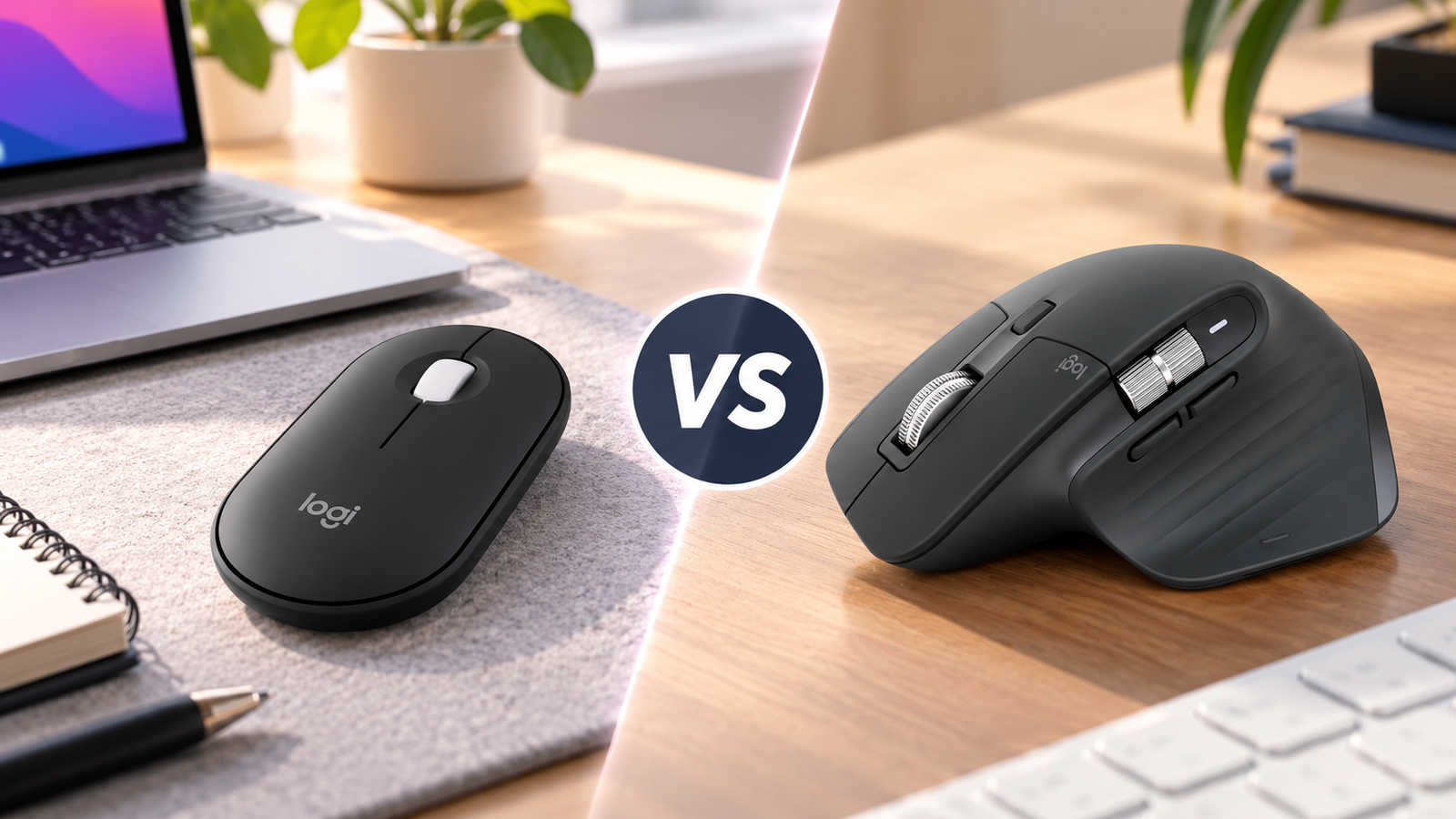
Logitech Pebble 2 M350s vs MX Master 3S is a comparison between two Logitech wireless mice designed for very different work styles. The Pebble 2 M350s focuses on portability, simplicity, and quiet everyday use, while the MX Master 3S is built around comfort, customization, and productivity features.
If you want a compact mouse for a laptop or a simple desk setup, the Pebble 2 M350s is the more straightforward option. If you spend long hours at a desk and need more buttons, advanced scrolling, and multi-device controls, the MX Master 3S offers a more productivity-focused design.
The better choice depends on how you work.
Research note: This comparison is research-based and not independently hands-on tested by Smart Desk. Product specifications are based on manufacturer information and public documentation.
Quick Comparison
| Feature | Logitech Pebble 2 M350s | Logitech MX Master 3S |
|---|---|---|
| Best For | Portable work setups | Desk-based productivity |
| Design | Slim and lightweight | Larger ergonomic design |
| Connection | Bluetooth | Bluetooth + Logi Bolt |
| Multi-device | Up to 3 devices | Up to 3 devices |
| Buttons | Basic controls | 7 customizable buttons |
| Scrolling | Standard scroll wheel | MagSpeed electromagnetic scroll wheel |
| Battery | Replaceable battery | Rechargeable USB-C battery |
| Price | Budget | Premium |
Logitech Pebble 2 M350s: Best for Simple and Portable Work
The Pebble 2 M350s is built for users who want a lightweight mouse that works well with laptops and mobile setups.
Best suited for
- Students and remote workers
- Laptop users
- Hybrid work setups
- Users who prefer minimal desk accessories
Main Advantages
- Compact size
- Quiet clicking
- Bluetooth connectivity
- Easy portability
The trade-off is that it does not provide the advanced controls and ergonomic design found on premium productivity mice.
Logitech MX Master 3S: Best for Productivity Workflows
The MX Master 3S targets users who spend more time at a desk and want additional productivity features.
Best suited for
- Office professionals
- Designers
- Developers
- Users working with large documents or spreadsheets
Main Advantages
- Larger ergonomic shape
- More customizable buttons
- Advanced scrolling
- Multi-device support
- Software customization
The downside is that it is larger, heavier, and more expensive.
1. Design and Comfort
Pebble 2 M350s
- slim, compact design
- Easy to carry
- Takes little desk space
- Lightweight
Best for users who value portability.
MX Master 3S
- Larger right-handed ergonomic design
- More palm support
- Better suited for extended desktop use
- More physical controls
Best for users who spend several hours daily using a mouse.
Choose based on your workspace:
- Mobile setup → Pebble 2 M350s
- Permanent desk → MX Master 3S
2. Connectivity and Multi-Device Support
Both mice support multiple devices.
The Pebble 2 M350s focuses on Bluetooth simplicity, making it convenient for laptops without many USB ports.
The MX Master 3S supports Bluetooth and Logitech Logi Bolt receiver technology, giving users more connection flexibility.
Both can switch between up to three devices.
Choose Pebble 2 M350s if
- You mainly use one laptop
- You want a simple Bluetooth setup
Choose MX Master 3S if
- You regularly switch between computers
- You want receiver support
3. Buttons and Customization
This is one of the biggest differences.
Pebble 2 M350s
Designed for basic productivity:
- Browsing
- Documents
- Everyday tasks
MX Master 3S
Designed for advanced workflows:
- Seven buttons
- Custom shortcuts
- Horizontal scrolling
- Application-specific settings
Users working with spreadsheets, creative software, or multiple applications may benefit more from MX Mater 3S’s controls.
4. Scrolling Experience
The scroll wheel is an important difference.
The Pebble 2 provides a standard scrolling experience suitable for everyday work.
The MX Master 3S uses Logitech MagSpeed electromagnetic scrolling, designed for faster navigation through:
- Long documents
- Large spreadsheets
- Web pages
For heavy information work, the MX Master 3S provides more advanced control.
5. Battery and Charging
Pebble 2 M350s
- Replaceable battery
- No charging cable needed
- Simple maintenance
MX Master 3S
- Rechargeable battery
- USB-C charging
- No disposable batteries
- Convenient for desk setups
Neither approach is universally better. It depends on your preference.
6. Portability vs Productivity
The biggest difference between these two mice is their purpose.
Choose Pebble 2 M350s for:
✓ Laptop mobility
✓ Travel
✓ Minimal setups
✓ Basic productivity
Choose MX Master 3S for:
✓ Long work sessions
✓ Advanced workflows
✓ Custom shortcuts
✓ Desktop productivity
Which One Should You Buy?
Choose Logitech Pebble 2 M350s if you:
- Need a portable mouse
- Mostly use a laptop
- Prefer a simple setup
- Don’t need advanced controls
- Want a lower-cost option
Choose Logitech MX Master 3S if you:
- Work at a desk most of the day
- Want more customization
- Use productivity shortcuts
- Work with large documents or creative tools
- Prefer a larger ergonomic mouse
Neither mouse is designed to replace the other. They solve different problems.
Related Smart Desk Guides
How to Choose a Wireless Mouse for Work
【LINK】Logitech MX Master 3S Review【/LINK】
【LINK】Best Wireless Mice for Work in 2026【/LINK】
FAQ
Is the MX Master 3S better than the Pebble 2 M350s?
They target different users. The MX Master 3S provides more productivity features, while the Pebble 2 M350s focuses on portability and simplicity.
Is Logitech Pebble 2 good for office work?
Yes. It works well for everyday tasks such as browsing, documents, email, and general productivity.
Is MX Master 3S worth the higher price?
It depends on whether you will use features like customizable buttons, advanced scrolling, and multi-device workflows.
Which mouse is better for MacBook?
Both work with MacBook. The better option depends on whether you prioritize portability or advanced productivity features.
Which mouse is better for small hands?
The Pebble 2 M350s may be more comfortable for users who prefer a smaller mouse, but hand size and grip style should be the deciding factors.
Ready to Choose Your Work Mouse?
If you need a simple, portable mouse for everyday tasks, the Logitech Pebble 2 M350s is a practical option.
If you want a more powerful productivity tool for long work sessions, the Logitech MX Master 3S offers more advanced features.
Disclosure: Smart Desk may earn commissions from qualifying purchases made through affiliate links. This does not affect the price you pay and helps support our research-based content.
Sources & Last Updated
Primary sources:
- Logitech Pebble 2 M350s product information
- Logitech MX Master 3S product information
- Logitech technical specifications
Last Updated: October 1, 2026
Research status: Research-based comparison. Smart Desk has not independently hands-on tested these products.