Scanning thick books shouldn’t mean struggling with curved pages, unreadable text, or hours of manual cleanup. But do you really need an expensive professional scanner to solve those problems?
Maybe you’re a student digitizing textbooks without flattening their bindings. Perhaps you’re working from a crowded home-office desk and want searchable PDFs instead of piles of paper. Or you’re a researcher scanning hundreds of pages regularly and wondering whether better hardware could make the process less frustrating.
The CZUR Shine Ultra vs ET Max comparison comes down to one question: Will the more expensive scanner solve a problem you actually have?
QUICK ANSWER
Is the CZUR ET Max Worth the Extra Money?
For occasional scanning, the Shine Ultra is usually the more sensible starting point. For frequent, detail-heavy book projects, consider the ET Max.
The ET Max offers higher resolution and A3+ support, but that doesn’t establish better OCR accuracy or faster complete-book scanning.
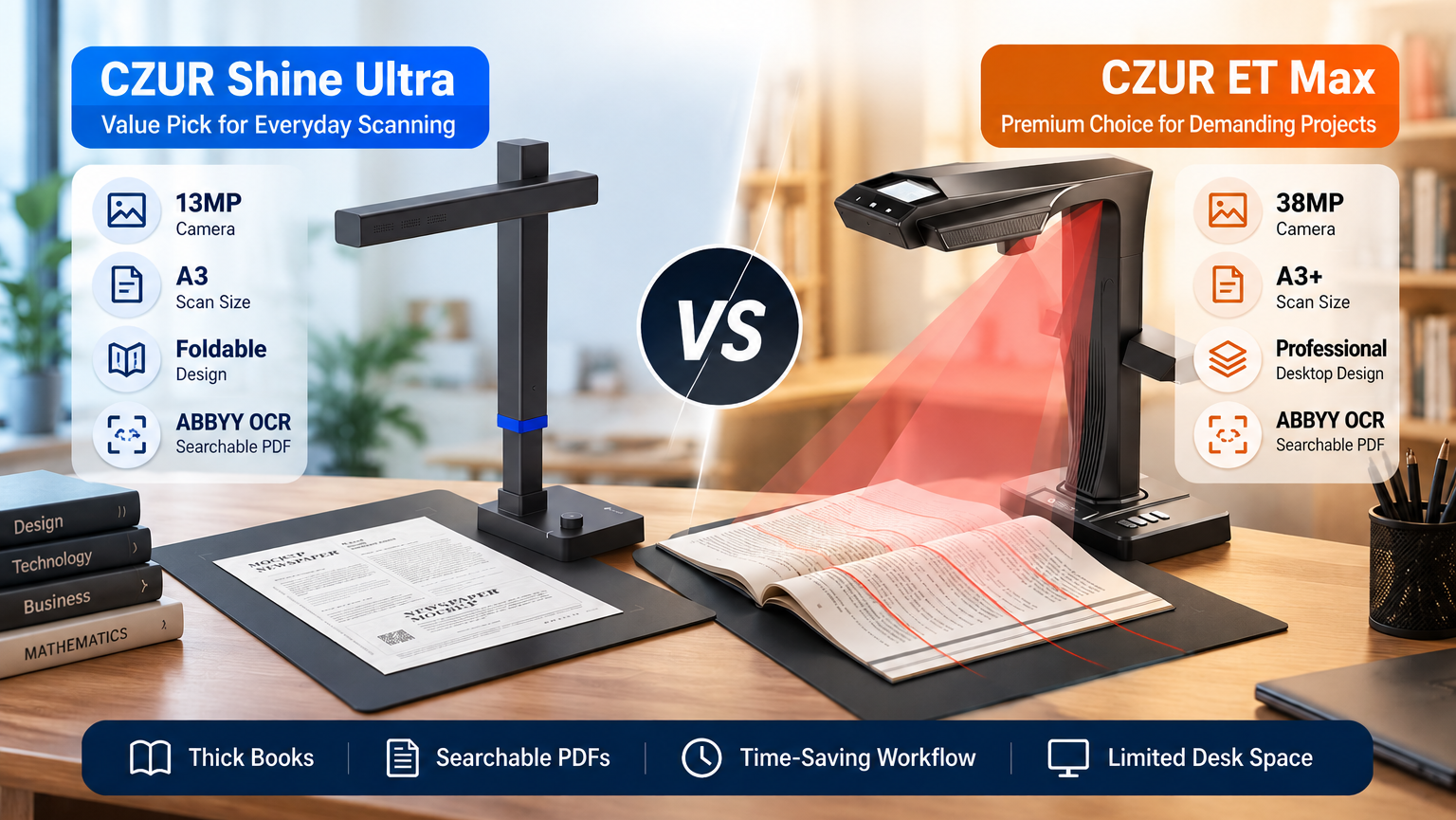
The CZUR ET Max is worth considering if you frequently scan detailed books, academic materials, or larger pages. Its approximately 38MP camera and A3+ scanning area offer more image detail and coverage than the Shine Ultra’s 13MP camera and A3 support.
However, both scanners offer curved-page correction and OCR. For occasional textbooks, manuals, and everyday documents, the lower-cost, foldable CZUR Shine Ultra is usually the more sensible starting point.
Higher resolution alone does not guarantee more accurate OCR or faster complete-book scanning.
Which Scanner Solves Your Biggest Problem?
| Your Real-World Problem | What You Actually Need | Better Starting Point |
|---|---|---|
| Text curves near a book’s spine. | Overhead scanning and software-based page flattening. | Both; results depend on the book. |
| You occasionally scan textbooks, notes, or manuals. | Affordable scanning with OCR. | Shine Ultra |
| You regularly digitize thick books or research materials. | Higher image detail and a repeatable workflow. | ET Max, conditionally |
| Your desk is already crowded. | Equipment that’s easier to fold and store. | Shine Ultra |
| You need searchable PDFs on a Mac. | Compatible software and reliable OCR output. | Both are candidates; verify your setup. |
| You have stacks of loose paperwork. | Automatic feeding and batch processing. | Consider a sheet-fed scanner instead. |
Ready to Compare Your Options?
VALUE CHOICE
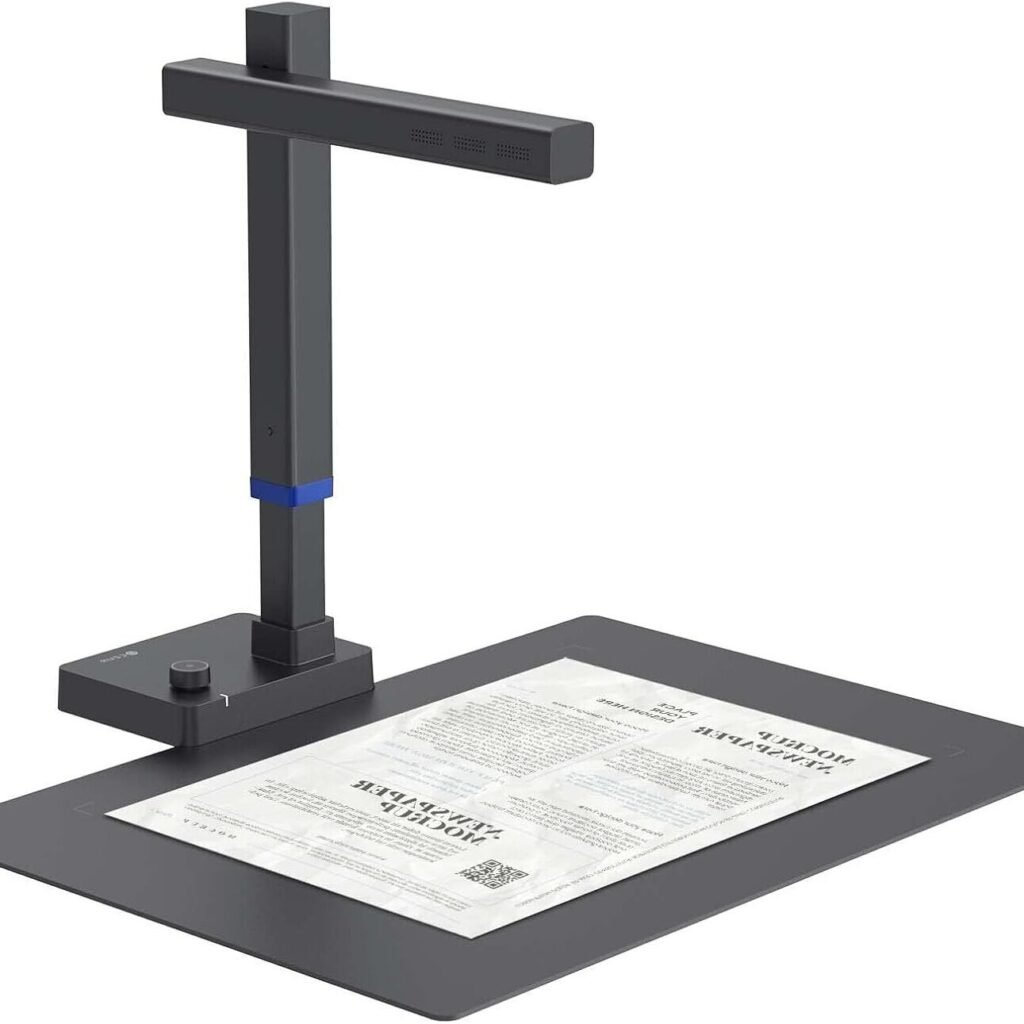
CZUR Shine Ultra
13MP · A3 · Foldable
For occasional books and smaller desks.
PREMIUM CHOICE
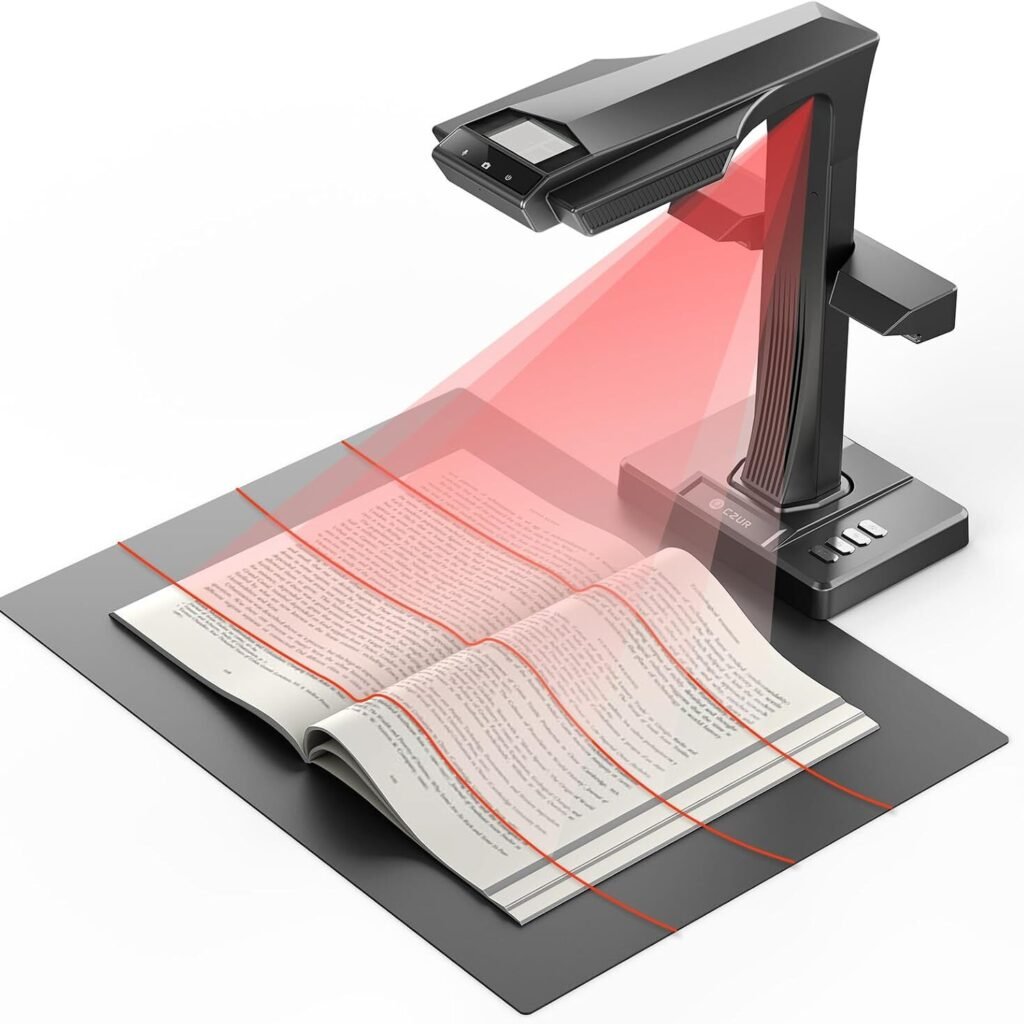
CZUR ET Max
38MP · A3+ · Desktop
For frequent, detailed book projects.
Disclosure: Smart Desk may earn commissions from qualifying purchases made through affiliate links. This does not affect the price you pay and helps support our research-based content.
Quick Comparison: CZUR Shine Ultra vs ET Max
CZUR Shine Ultra
Best for students, occasional book scanners, and compact home offices
13MP
Camera
A3
Scan Size
ABBYY
OCR
Foldable
Design
MAIN PROBLEM IT SOLVES
Scanning textbooks and documents without a large, expensive setup.
√
Lower upfront cost
√
Easier to store
–
Lower resolution
–
Manual page turning
CZUR ET Max
Best for researchers, archivists, and frequent book-scanning users
38MP
Camera
A3+
Scan Size
ABBYY
OCR
Desktop
Design
MAIN PROBLEM IT SOLVES
Capturing greater detail from larger pages and technical materials.
√
Higher resolution
√
Larger scan area
–
Higher price
–
Larger footprint
What Is the Difference Between the CZUR Shine Ultra and ET Max?
The main differences are camera resolution, maximum scanning area, physical design, and price. The ET Max offers approximately 38MP and A3+ scanning, while the Shine Ultra provides 13MP and A3 scanning in a foldable design.
Both support software-assisted curved-page correction and OCR, so the ET Max’s advantage is not access to an entirely different category of basic scanning functions.
| Feature | CZUR Shine Ultra | CZUR ET Max |
|---|---|---|
| Camera resolution | 13MP | Approximately 38MP |
| Maximum scanning area | A3 | A3+ |
| Advertised capture time | Around 1 second | Around 1.5 seconds |
| Curved-page correction | Yes | Yes |
| OCR | ABBYY OCR | ABBYY OCR |
| Searchable PDF workflow | Supported | Supported |
| Design | Foldable, portable | Larger, desktop-oriented |
| Primary appeal | Affordability and storage | Resolution and demanding workloads |
| Price tier | Lower-cost | Premium |
Source basis: CZUR’s published product specifications and previously reviewed product information. Capture times are manufacturer claims, not standardized measurements of complete-book scanning.
Manufacturer references: CZUR Shine Ultra Series and CZUR ET Series.
What We Can Verify—and What We Can’t
| Buying Question | What the Available Evidence Supports | What Remains Unverified |
|---|---|---|
| Which has higher resolution? | ET Max has the higher advertised camera resolution. | The exact improvement under identical real-world conditions. |
| Which scans larger pages? | ET Max supports A3+ versus A3 for Shine Ultra. | Performance with every document type and layout. |
| Which scans faster? | Shine Ultra has the shorter advertised single-capture time. | Which finishes the same complete book faster. |
| Which has better OCR? | Both advertise ABBYY OCR. | Direct head-to-head recognition accuracy. |
| Which works better on a Mac? | CZUR provides Mac software support. | Identical reliability across Mac models and macOS versions. |
| Which offers better value? | Shine Ultra has a substantially lower reference price. | Whether the ET Max premium pays off for your workload. |
Why this matters: A specification advantage is not the same thing as a verified workflow advantage. The ET Max captures more image data, but that alone cannot prove it will save you time or eliminate OCR errors.
Which CZUR Scanner Is Better for Thick Books?
Both scanners are designed to capture bound materials from above, making them more practical for many books than a conventional sheet-fed scanner. The ET Max is the stronger candidate when higher image detail is important, but the available research does not establish a universal winner for curved-page correction.
How Curved-Page Correction Helps
Text near the spine of an open book often appears distorted because the page is not flat.
Overhead scanners photograph the book without requiring every page to pass through a feeder. Software then attempts to correct the page’s curvature.
Both CZUR models advertise this capability.
However, correction quality depends on the book itself. Deep gutters, glossy paper, uneven lighting, and text disappearing into the binding can still produce errors.
BUYER WATCH-OUT

Buyer Watch-Out: Curved-Page Correction Has Limits
Some tightly bound books contain text that is difficult to capture clearly near the spine.
Practical tip: Check several representative pages before scanning an entire book, and review the corrected output.
Does the ET Max’s Higher Resolution Matter?
The ET Max’s approximately 38MP camera captures substantially more image data than the Shine Ultra’s 13MP camera.
That may be valuable for small footnotes, dense tables, technical illustrations, large-format pages, and documents requiring later cropping.
For ordinary textbook pages intended for reading and searching, however, more pixels may provide less noticeable benefit.
Higher resolution improves the potential for detail capture; it does not guarantee better OCR accuracy. Focus, lighting, typography, page curvature, and software processing also influence the result.
Will the ET Max Scan Books Faster?
The ET Max is not proven to complete books faster than the Shine Ultra. In fact, CZUR’s advertised single-capture figures are approximately 1.5 seconds for the ET Max and one second for the Shine Ultra.
Those figures describe camera capture, not an entire digitization workflow.
Scanning a book also involves:
- Positioning the book.
- Turning pages.
- Checking page detection and cropping.
- Correcting problematic images.
- Running OCR.
- Reviewing and organizing the exported files.
A scanner that captures an image quickly may still require substantial manual work.
For frequent scanning, the more useful performance measure is the time required to produce an acceptable final document, including corrections.
Neither the available specifications nor the prior research establishes a controlled, same-book comparison of total completion time.
Which Scanner Takes Up Less Desk Space?
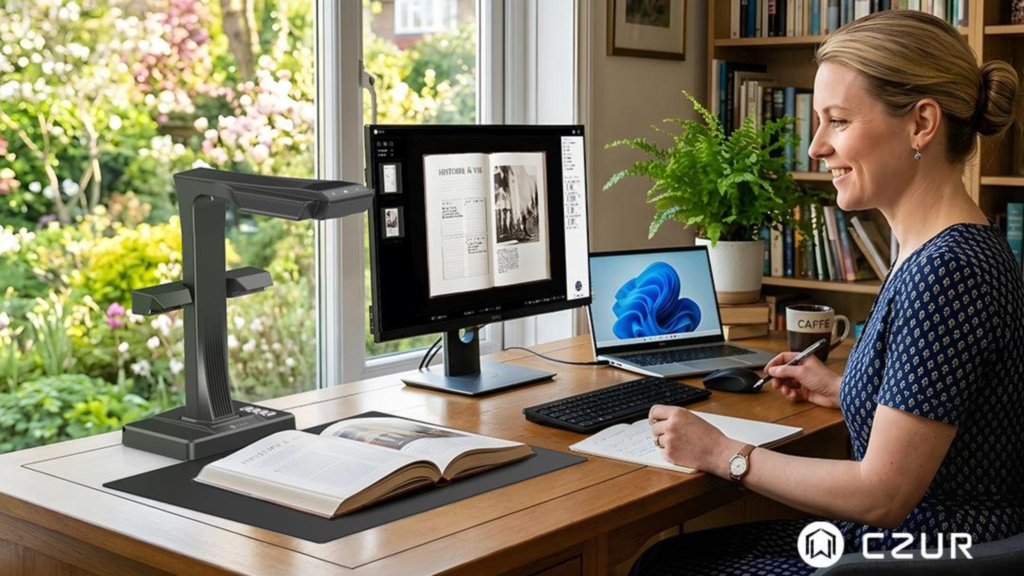
The CZUR Shine Ultra is the more practical choice when portability and storage matter. Its foldable design makes it easier to put away between scanning sessions.

Small Desk
Shine Ultra
Easier to store between sessions.
Dedicated Station
ET Max
More suitable for a recurring scanning workspace.
Smart Desk recommendation: If scanning happens only occasionally, prioritize the device you’ll actually find convenient to set up and store. If scanning is a regular part of your work, a dedicated station may make more sense.
Do the CZUR Shine Ultra and ET Max Work With Mac and OCR?
Both models are candidates for Mac-based document scanning, and both advertise ABBYY OCR. However, software availability does not establish identical performance across every Mac configuration.
Apple Silicon and macOS Support
CZUR has published Apple Silicon support and desktop software downloads.
Before buying, verify the latest software package for your exact model and operating-system version. Pay particular attention if your workflow depends on searchable PDFs, document exports, or automated page processing.
Official support is a useful starting point, but it is not the same as an independent test of your complete workflow.
Can Both Create Searchable PDFs?
Both models advertise OCR functionality intended to turn captured text into editable or searchable output.
A searchable PDF is more useful than an image-only PDF when you need to find quotations, copy text, or organize a research archive.
But OCR can still make mistakes with small print, unusual fonts, shadows, or curved text.
BUYER WATCH-OUT
Mac and OCR Warning
Don’t buy either scanner solely because the specification sheet says “OCR” or “Mac compatible.” Verify that the current software supports your intended export format and review sample OCR output before relying on it for important records.
What Do Independent Reviews Reveal?
Independent testing provides useful reasons to consider the ET Max, but it also shows why a premium specification sheet should not be treated as proof of flawless performance.
The earlier research identified a July 2026 Notebookcheck review of the ET Max. Its findings included favorable observations about text clarity and document processing, alongside concerns involving physical footprint, color reproduction, and some software functions.
These are observations from a published review—not measurements made by Smart Desk. They should not be interpreted as universal outcomes for every unit or every document.
Third-party coverage of the Shine Ultra has also raised questions about focus and OCR consistency in some conditions. However, the available evidence does not establish how common those problems are among owners.
What the Evidence Means for Buyers
| Area | Reasonable Conclusion | Important Limitation |
|---|---|---|
| ET Max image detail | Its hardware offers greater resolution potential. | Not proof of superior results for every page. |
| ET Max document processing | Independent coverage reported useful strengths. | Software and color limitations were also reported. |
| Shine Ultra affordability | Lower purchase cost reduces financial commitment. | Lower price doesn’t establish better reliability. |
| OCR comparison | Both provide OCR functionality. | No verified same-document accuracy comparison. |
| Long-term ownership | Both are established product offerings. | No reliable comparative failure-rate data established here. |
Evidence note: The independent-review findings above are summarized from the earlier research. Before publication, the exact review URL and relevant passages should be checked against the original article.
Is the CZUR ET Max Worth Paying More For?
The ET Max is worth the premium when its additional resolution, larger scanning area, and professional-oriented design address recurring requirements. For occasional scanning, the Shine Ultra is usually the more economical choice.
Earlier U.S. pricing research found Shine Ultra official-store reference prices around $169–$189, compared with approximately $699 for the ET Max. A separate Amazon ET Max price observation was around $799.
These were not synchronized checkout prices, so they should not be used to calculate an exact current price difference.
The Smart Desk Decision Framework
OUR RECOMMANDATION
Choose the ET Max only when its higher resolution or larger scanning area addresses a recurring need. Otherwise, the Shine Ultra is the more economical starting point.
Instead of choosing by megapixels alone, match the scanner to your actual scanning workload.
| Your Priority | Recommended Scanner | Why |
|---|---|---|
| Occasional textbooks | Shine Ultra | Lower cost; foldable design |
| Fine technical diagrams | ET Max* | Higher image-detail potential |
| Limited desk space | Shine Ultra | Easier storage |
| Large-format book projects | ET Max* | A3+ scanning area |
| Stacks of loose documents | ADF scanner | Automatic document feeding |
| Perfect OCR without review | Neither | OCR errors remain possible |
*ET Max recommendations are conditional on your workload. Higher resolution does not guarantee better OCR or faster complete-book scanning.
Three Questions to Ask Before Upgrading
1. Are your current scans missing important detail?
If fine print or diagrams are genuinely difficult to read, higher-resolution hardware may help.
2. Is scanning a recurring part of your work?
A premium scanner is easier to justify when you use its capabilities regularly rather than a few times per year.
3. Is your biggest frustration actually the scanner hardware?
If most of your time goes into turning pages, naming files, or checking OCR, the ET Max may not solve the entire problem.
Value verdict: Buy the ET Max for a specific, repeated need—not simply because its camera has more megapixels.
What Alternatives Should You Consider?
The Shine Ultra Pro, IRIScan Desk 6 Pro, and an automatic document feeder are worth considering when neither main option is an ideal fit.
| Alternative | Best Reason to Consider It | Caution |
|---|---|---|
| CZUR Shine Ultra Pro | A 24MP middle option between the standard Shine Ultra and ET Max. | The previously reported $329 Amazon price should be rechecked. |
| IRIScan Desk 6 Pro | A competing overhead scanner for comparing software and value. | No verified direct performance winner is established here. |
| Ricoh ScanSnap iX2500 | A better category fit for large batches of loose paperwork. | Not intended to scan bound books directly. |
The most important alternative may not be another CZUR model. If your documents are already loose sheets, an automatic document feeder could solve your workflow problem more effectively than a premium overhead camera.
CZUR Shine Ultra vs ET Max: Frequently Asked Questions
The ET Max is worth considering if you frequently scan detailed books, large pages, or technical materials. Its higher-resolution camera and A3+ support offer additional capability. For occasional documents, the Shine Ultra is generally the more economical starting point.
Both support overhead scanning and curved-page correction. The ET Max is a stronger candidate for demanding projects because of its higher resolution, but the available evidence does not establish that it always produces better curvature correction.
Yes. CZUR advertises ABBYY OCR and document export functionality. Searchable-PDF quality depends on the clarity of the captured pages and the OCR processing results.
That has not been established by a controlled comparison in the available research. Both advertise ABBYY OCR, while the ET Max’s higher camera resolution may help capture fine details in suitable conditions.
CZUR has published Apple Silicon software support. Buyers should verify current model-specific downloads, macOS compatibility, and the exact OCR features they need.
Not necessarily. Its advertised single-capture time is longer than the Shine Ultra’s, and no controlled total-book workflow comparison has been established here. Page handling, corrections, and OCR processing can dominate total time.
Choose an overhead scanner for bound books and materials you cannot feed through rollers. Choose an automatic document feeder when your primary task is processing large stacks of loose documents.
Final Verdict: Should You Buy the Shine Ultra or ET Max?
For occasional book scanning, the CZUR Shine Ultra is the better starting point. It provides the core capabilities most buyers are looking for—overhead capture, curved-page correction, OCR, and A3 support—without the ET Max’s premium price or larger footprint.
The CZUR ET Max makes more sense for demanding, repeated projects. Its approximately 38MP camera and A3+ scanning area offer meaningful hardware advantages for detailed or larger materials. But those specifications don’t guarantee perfect OCR, faster complete-book processing, or a better experience for every user.
The best purchase is the scanner that solves your actual scanning problem—not the one with the longest feature list.
Ready to Choose Your Book Scanner?
CHOOSE SHINE ULTRA IF…
You want better value
Occasional scanning, standard documents, smaller desk, lower budget.
CONSIDER ET MAX IF…
You need more image detail
Frequent projects, fine print, larger pages, dedicated workspace.
30-Day Returns & Exchanges
Sources, Methodology, and Last Updated
Manufacturer and product sources
- CZUR Shine Ultra Series — Official Product Information
- CZUR ET Series — Official Product Information
Independent-review evidence
- Notebookcheck, July 2026, CZUR ET Max review. The earlier research summarized observations concerning text clarity, processing, color reproduction, software behavior, and device footprint. The original review URL and passages should be verified before publication.
- Third-party Shine Ultra coverage previously reviewed by Smart Desk raised potential focus and OCR concerns. Those observations do not establish a general failure rate and should not be presented as verified owner-wide findings.
Editorial Note: This comparison is based on manufacturer specifications, published policies, and available external information. Smart Desk has not independently tested either display. Specifications, prices, configurations, and purchase policies may change.
Last Updated: October 31, 2026
Research status: Research-based comparison. Smart Desk has not independently hands-on tested these products.