
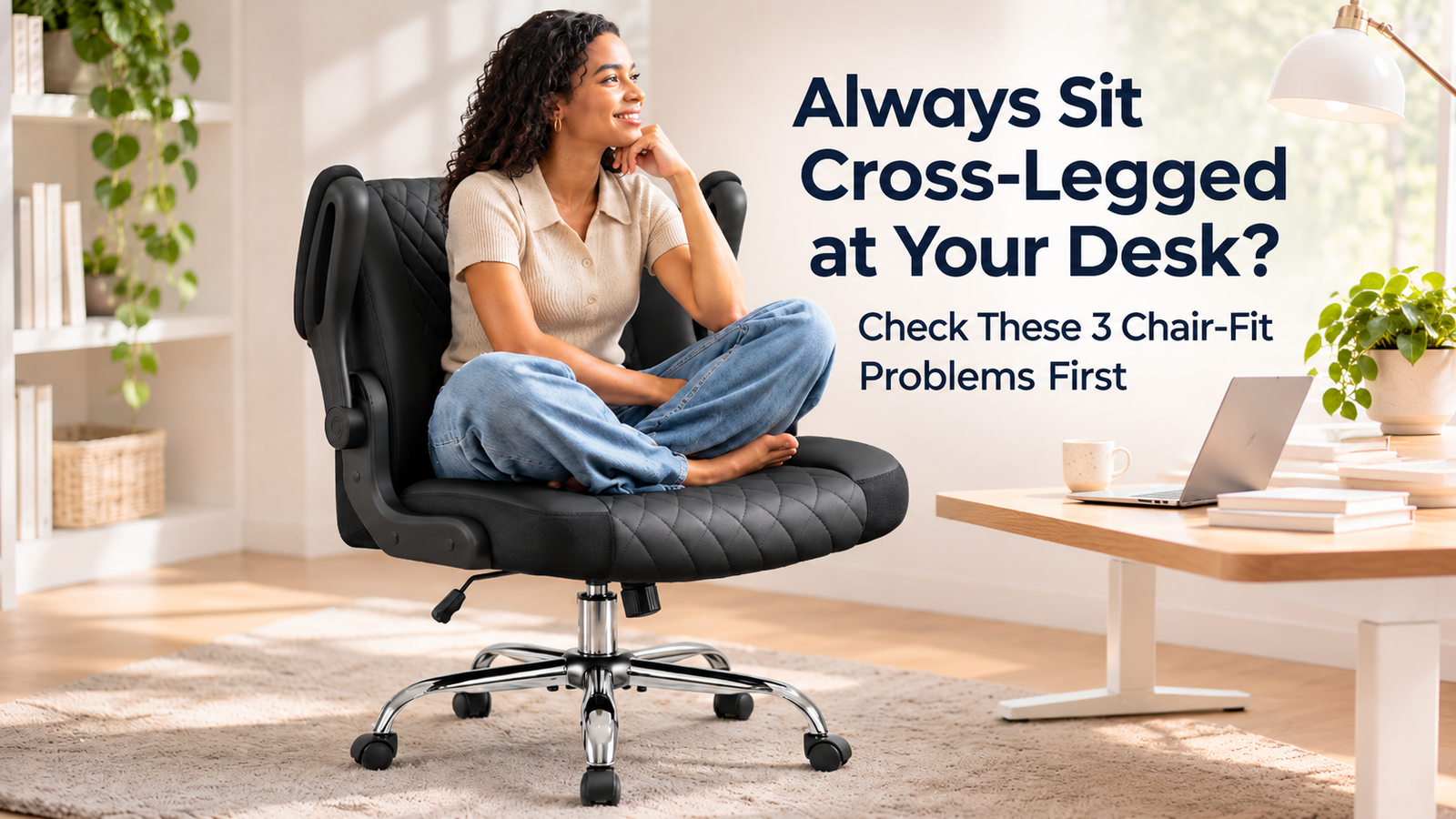
You sit down at your desk with both feet on the floor. Twenty minutes later, one leg is tucked underneath you. Soon, you’re sitting completely cross-legged.
Maybe that’s simply how you like to sit. But what if your office chair is encouraging you to change positions because it doesn’t fit your body?
A seat that’s too deep can make it difficult to use the backrest. A seat that’s too high can leave your feet unsupported. And a narrow seat or poorly positioned armrests can restrict your preferred sitting positions.
Before buying a larger chair, here’s how to tell whether you actually need one.
Disclosure: Smart Desk may earn commissions from qualifying purchases made through affiliate links. This does not affect the price you pay and helps support our research-based content.
Quick Answer: Why Do You Always Sit Cross-Legged in an Office Chair?
Frequently sitting cross-legged can be a personal preference, but it may also be a sign that your chair’s seat height, seat depth, or usable width doesn’t suit you. The habit alone cannot diagnose a chair-fit problem.
According to the U.S. Occupational Safety and Health Administration (OSHA), a properly adjusted chair should support your back and legs, allow your feet to rest on the floor or a footrest, and accommodate your body without pressure behind the knees.
If your current chair fails those basic fit checks, changing chairs—or adjusting your workstation—may help.
But if your chair already fits comfortably and you simply prefer switching positions, a wide-seat or convertible criss cross chair may offer more flexibility.
The key is to identify the problem before choosing the chair.
The 3 Chair-Fit Problems to Check
| What you experience | Possible cause | What to check first |
|---|---|---|
| You slide forward because the seat presses behind your knees | Seat too deep | Seat depth and backrest position |
| Your feet don’t reach the floor comfortably | Seat too high | Seat height and foot support |
| Your knees or feet hit the armrests when sitting cross-legged | Not enough usable space | Seat width and armrest clearance |
| You frequently switch positions even when your chair fits | Personal sitting preference | Whether a flexible seating design suits your work |
| You sit cross-legged but struggle to reach the keyboard | Chair–desk mismatch | Working height, desk distance, and arm support |

Smart Desk chair-fit diagram based on OSHA and University of Washington ergonomic guidance. Dimensions are illustrative, not product-specific measurements.
Product to investigate: The FelixKing Criss Cross Chair uses a convertible backrest and a seller-advertised 24.4-inch-wide seat to accommodate different sitting positions.
1. Your Office Chair Seat May Be Too Deep
A seat is too deep when you cannot sit against the backrest without the front edge pressing into the backs of your knees.
This matters because you need both thigh support and access to the backrest.
OSHA explains that a seat pan that’s too long can place pressure near the knees and prevent shorter users from making full use of the chair’s lumbar support.
Source: OSHA — Computer Workstations: Chairs.
How to measure your seat depth
Sit with your back comfortably against the backrest and your feet supported.
Check the space between the front edge of the cushion and the backs of your knees.
The University of Washington’s Computer Workstation Adjustment Guidelines, revised February 2025, recommend approximately one to two finger widths of clearance.
Source: University of Washington — Workstation Adjustment Guidelines (PDF).
This is a practical starting point, not a rigid measurement that works for every person.
If the cushion presses into your knees, look for a shorter seat pan or an effective seat-depth adjustment.
If most of your thighs hang beyond the front edge, the seat may be too short.
Does a deeper seat help with cross-legged sitting?
Sometimes, but that doesn’t mean deeper is always better.
A deeper seat can provide room for folded legs. Yet the same depth may prevent a shorter user from reaching the backrest comfortably when sitting normally.
A chair can be spacious for cross-legged sitting and poorly sized for regular desk work at the same time.
That distinction is essential when comparing conventional office chairs with wide-seat models.
2. Your Office Chair May Be Too High
If your feet are unsupported when your chair is adjusted for comfortable typing, the seat or workstation height may be wrong for you.
You might respond by pulling your feet onto the chair or tucking one leg underneath you.
That behavior does not prove the chair is too high, but it is a reason to check.
OSHA recommends that your feet rest flat on the floor or on a stable footrest, with the chair supporting your legs and back.
See: OSHA — Computer Workstations: Chairs.
What should you do if your feet don’t reach the floor?
First, adjust your chair and keyboard position together.
Your shoulders should stay relaxed and your forearms should reach the keyboard without excessive lifting or reaching.
If your keyboard height requires a higher seat, try a stable footrest rather than forcing your chair too low.
If you use a height-adjustable desk, you may be able to lower the desk and chair together.
Don’t solve a foot-support problem by creating a shoulder or wrist-positioning problem.
A comfortable chair must fit the whole workstation, not just your legs.
3. Your Seat or Armrests May Be Too Restrictive
Some people can sit comfortably with both feet on the floor but still dislike conventional office chairs.
The problem may be the shape of the seat or the position of the armrests.
Usable width matters more than advertised width
Two chairs with the same overall seat width may feel very different.
Raised seat edges, side bolsters, armrest brackets, and cushion shapes can restrict the space available for folding your legs.
That’s why you should distinguish between:
- Overall chair width: The widest outside measurement.
- Seat cushion width: The manufacturer’s stated seat measurement.
- Usable sitting width: The space you can actually occupy comfortably.
- Armrest clearance: The unobstructed space between the structures beside you.
These measurements are not interchangeable.
A chair marketed as extra-wide may still have less practical cross-legged space than its dimensions suggest.
Can flip-up armrests help?
They can remove one possible obstruction.
But raising the armrests doesn’t automatically provide better thigh support or more comfortable positioning for typing.
You still need to consider the seat shape, backrest, and available space beneath your desk.
For a separate guide to desk clearance, see our related article: Office Chair Won’t Fit Under Your Desk? Flip-Up Arms vs. No Arms vs. Fixed Arms.
4. Is Sitting Cross-Legged a Sign of Poor Ergonomics?
No. Sitting cross-legged is not, by itself, proof that your chair is poorly designed or that your posture is wrong.
Some users simply prefer changing positions.
A more useful question is whether you can maintain comfortable support and perform your work without awkward reaching or persistent pressure.
OSHA’s workstation guidance emphasizes adjustability, adequate back and leg support, and the ability to use varied sitting postures.
However, a chair that accommodates more positions is not necessarily more ergonomic in every one of them.
If a position causes numbness, pressure, or persistent discomfort, change position rather than forcing yourself to remain there.
What does independent testing say about criss cross chairs?
In a January 31, 2026 report, Consumer Reports tested six criss cross chair models.
Its ergonomics experts identified a benefit in allowing people to change positions, but also found meaningful drawbacks compared with adjustable traditional office chairs.
The tested models included products from brands such as Pukami, Pipersong, and Vivo.
FelixKing 2-in-1 Flip Backrest Chair was not among the six chairs in that test.
The takeaway is not that every criss cross chair is unsuitable. It’s that freedom of movement should be evaluated separately from the support needed for sustained computer work.
5. Which Chair Features Actually Solve Which Problem?
A useful way to choose a chair is to match its design to a specific fit problem.
The Smart Desk Chair Fit Decision Framework
| Your actual problem | Feature worth prioritizing | What may not help |
|---|---|---|
| Seat presses behind the knees | Shorter or adjustable seat depth | Simply buying a wider chair |
| Feet don’t reach a stable surface | Lower seat range or footrest | Extra-thick cushioning |
| Armrests block folded legs | Flip-up or adjustable armrests | A larger backrest |
| You need more leg positions | Flat, wide seat with usable clearance | Overall chair width alone |
| You lose back support while typing | Proper backrest and lumbar fit | A seat designed mainly for lounging |
| You want both work and relaxation modes | Convertible seating design | Unverified ergonomic marketing claims |
Framework developed by Smart Desk from chair-fit principles described by OSHA and the University of Washington. It is an editorial decision aid, not a clinically validated diagnostic tool.
The practical rule
Fix poor fit with better dimensions. Solve restricted movement with a more flexible design. Don’t assume one automatically solves the other.
For example, if you’re 5’2″ and cannot reach a conventional backrest because the seat is too deep, an extra-deep criss cross chair could make the problem worse.
But if your chair fits well and its fixed armrests simply block your favorite sitting position, a different armrest or backrest design may be worth considering.
6. FelixKing Criss Cross Chair: What Makes It Different?
The FelixKing Criss Cross Chair with 2-in-1 Flip Backrest offers an alternative to both conventional task chairs and basic wide-seat chairs.
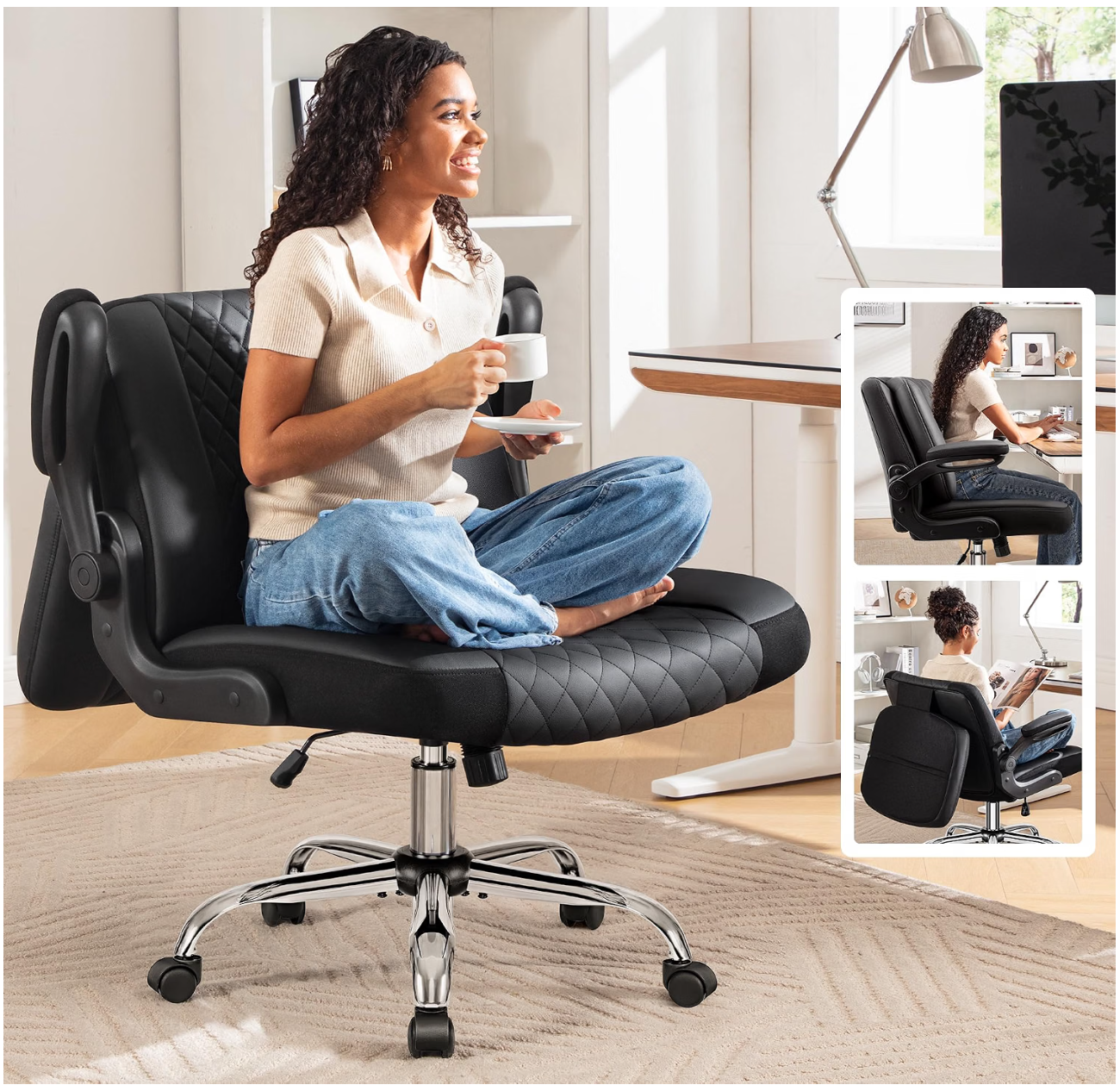
2-IN-1 FLIP BACKREST DESIGN
FelixKing Criss Cross Chair with 2-in-1 Flip Backrest
From $119.99
Worth considering if you want more room for cross-legged sitting while keeping a conventional backrest position for desk work.
Trade-off: Long-term comfort, seat fit, and flip-backrest durability have not been independently verified.
Exact product identification
- Brand: FelixKing
- Amazon US ASIN: B0FH2N4BPR
- Model: FK-D25-Black-FF-US
- Configuration: Black, 2-in-1 Flip Backrest
How does the flip backrest work?
According to the product description, the backrest can be flipped between two configurations.
Desk-work configuration: The backrest moves toward the seated user to provide a more conventional supporting position.
Open seating configuration: The backrest flips away to make additional room for cross-legged sitting and lounging.
FelixKing advertises a 30% increase in cross-legged space in the open configuration. That percentage has not been independently verified.
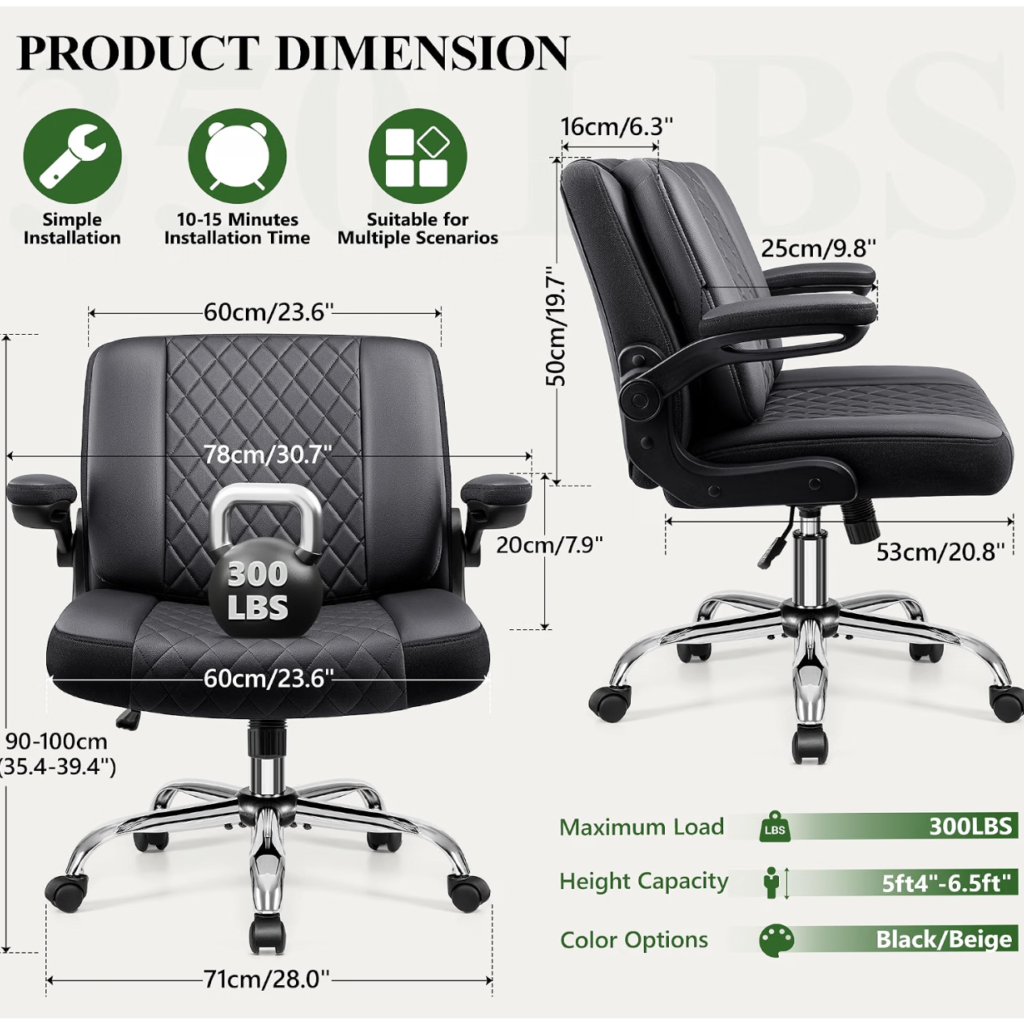
FelixKing Criss Cross Chair with 2-in-1 Flip Backrest:Manufacturer-Advertised Specifications
| Feature | Seller information | Verification status |
|---|---|---|
| Seat width | 24.4 inches | Seller claim |
| Seat depth | 21 inches | Seller claim; conflicting third-party entries exist |
| Backrest | 2-in-1 flip mechanism | Product design documented |
| Armrests | Flip-up | Product design documented |
| Upholstery | PU leather with breathable side panels | Seller claim |
| Seat construction | Layered cushion with spring core | Seller claim |
| Maximum capacity | 250 lbs in supplied listing | Conflicting information found elsewhere |
| Price | $119.99 | User-supplied November 2026 snapshot |
| Long-term comfort | Not established | Independent evidence insufficient |
Some third-party product records list different seat-depth and maximum-capacity figures. Until the manufacturer confirms the measurements for this exact variant, those specifications should not be treated as independently established.
What problem could the FelixKing solve?
Its most relevant feature is the ability to change the available sitting space without necessarily replacing the entire chair.
If you want more room for your folded legs during breaks but a closer backrest position for regular desk work, the flip-backrest mechanism is a potentially useful design.
That is a different buying proposition from simply choosing a conventional office chair with a larger cushion.
What does it not prove?
The design does not demonstrate that the chair:
- Provides better back support than an adjustable traditional task chair.
- Is suitable for every shorter or taller user.
- Prevents discomfort during an eight-hour workday.
- Has a durable flip mechanism over multiple years.
- Is more ergonomic than similarly priced IKEA chairs.
These conclusions would require measurements, testing, or reliable product-specific long-term user evidence that we do not currently have.
Smart Desk assessment: Felixking is worth investigating for users who prioritize multiple sitting configurations, but its suitability for long periods of computer work remains unverified.
7. FelixKing vs. IKEA FLINTAN: Which Design Makes More Sense?
Why consider a less familiar brand like FelixKing instead of buying from IKEA?
The strongest potential reason is a specific design requirement—not a claim that FelixKing is universally better.
The two chairs prioritize different things.
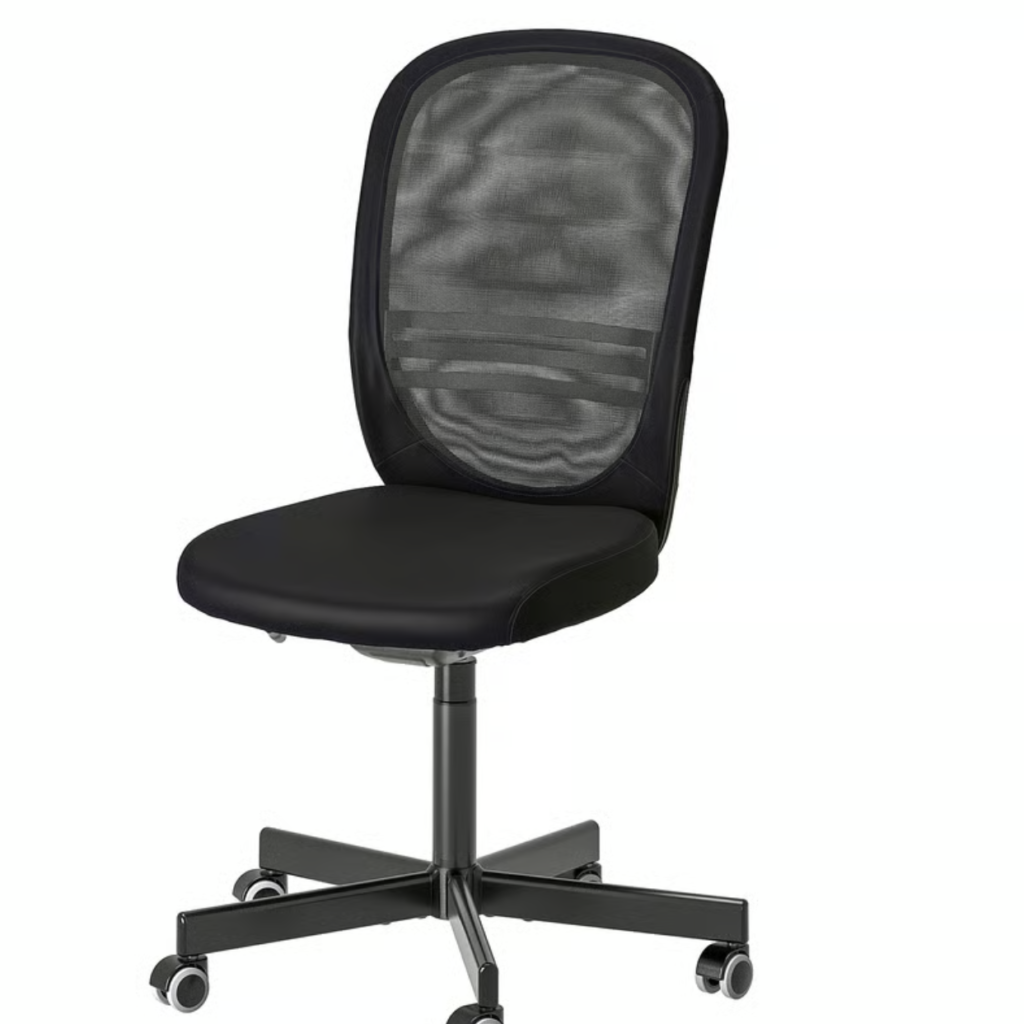
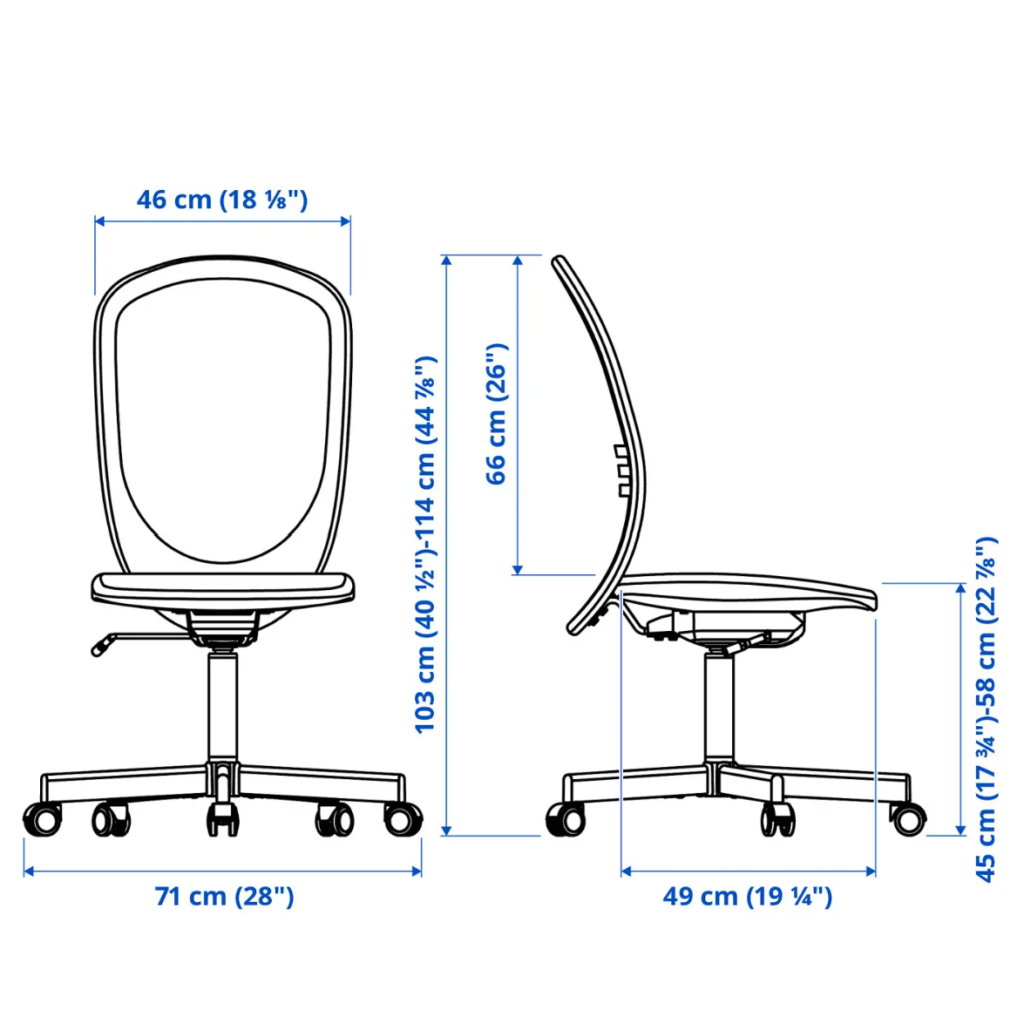
FelixKing Criss Cross Chair with 2-in-1 Flip Backrest vs. IKEA FLINTAN
| Factor | FelixKing Criss Cross Chair | IKEA FLINTAN, Armless |
|---|---|---|
| Reference price | From $119.99 | $99.99 |
| Seat width | 23.6 in, seller-advertised | 18 1/8 in, manufacturer-published |
| Seat depth | 19.7 in, seller-advertised | 19 1/4 in, manufacturer-published |
| Seat height range | 15.7-19.7 in | 17 3/4–22 7/8 in |
| Flip backrest | Yes | No |
| Armrests | Flip-up | None |
| Main design purpose | Convertible, flexible sitting | Conventional desk seating |
| Warranty | Exact-model terms not confirmed | 10-year limited |
Sources: FelixKing Amazon US and IKEA FLINTAN US. Price comparisons use November 2026 reference figures. FelixKing’s seller-reported specifications and IKEA’s published testing statements have different evidence levels.
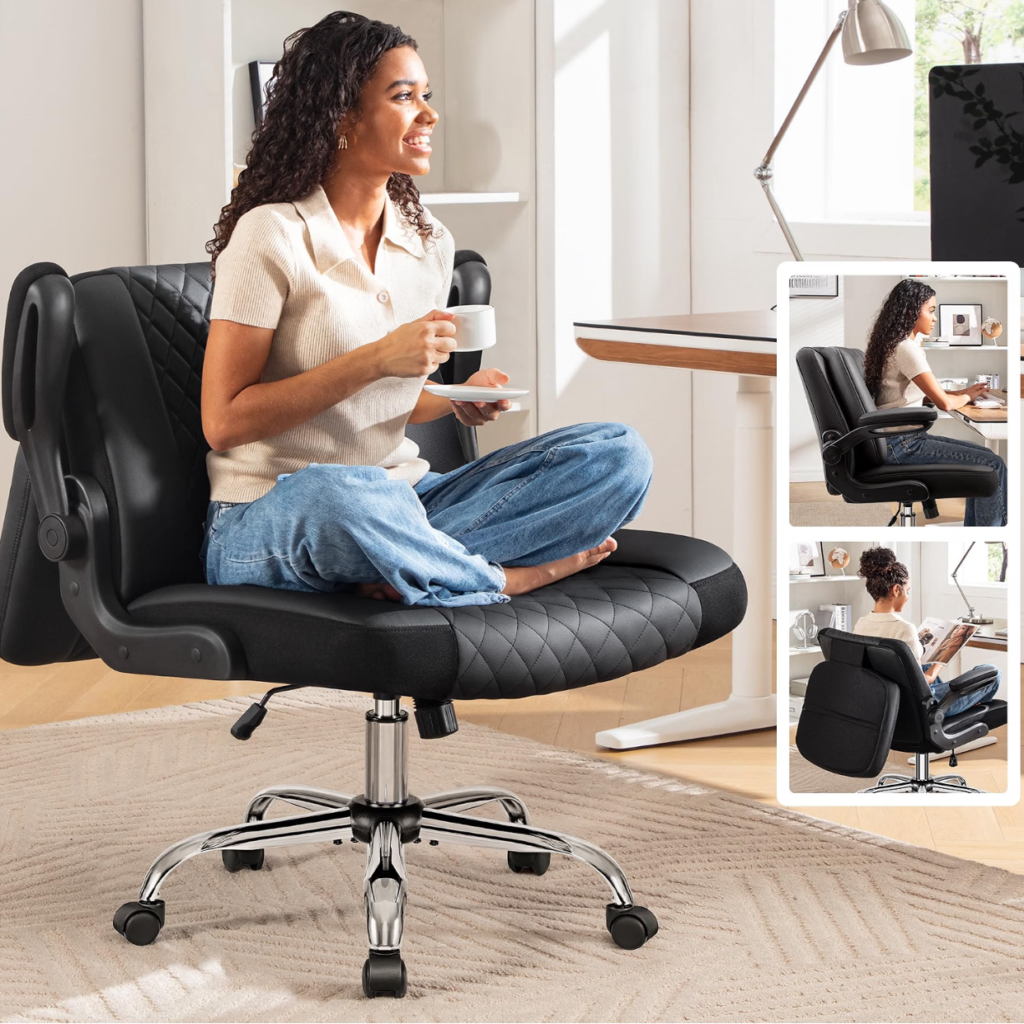
FelixKing Criss Cross Chair
IKEA FLINTAN, Armless
When would FelixKing be the better design to consider?
If you already know that you want to sit with your legs folded, frequently change positions, and use a convertible backrest, FelixKing offers features that the conventional FLINTAN does not.
Those specific design features could justify considering the less familiar brand.
When would IKEA be the more practical choice?
If your primary need is standard computer work, you don’t require convertible seating, and you value published dimensions, a washable cover, publicly stated testing and a longer limited warranty, FLINTAN has clear advantages.
For some shorter users, its shallower published seat depth may also be worth exploring.
However, even a 19 1/4-inch seat will not fit everyone.
When should you choose neither?
If you need adjustable seat depth, precise armrest positioning, or a different seat-height range, another task chair may suit you better.
A chair doesn’t become the right purchase just because it is the least expensive or has the most unusual features.
8. Five-Minute Chair Fit Check: What to Measure Before Buying
You can use your current chair to understand what a replacement actually needs to change.
Step 1 — Check seat depth. Sit against the backrest and look for comfortable clearance behind your knees. If the seat presses into your legs, investigate a shorter or adjustable seat.
Step 2 — Check seat height. At your normal keyboard position, determine whether your feet have stable support. If not, consider a footrest or chair–desk adjustment.
Step 3 — Check usable width. Try your preferred leg position without forcing it. Identify whether the armrests, seat edges, or backrest restrict movement.
Step 4 — Check keyboard reach. Return to your working position. Can you type with relaxed shoulders and without reaching away from the backrest?
Step 5 — Check the replacement’s actual dimensions. Compare seat depth, seat height range, usable sitting width, and return policy. Don’t buy based solely on the word “ergonomic” or the advertised overall width.
Decision: If your current chair fails the first two checks, prioritize fit adjustment. If it passes those checks but restricts your preferred leg positions, a convertible chair may deserve consideration.
Frequently Asked Questions
It may simply be a comfortable habit. But a seat that’s too high, too deep, or poorly fitted can also make conventional sitting uncomfortable. Check seat height, backrest access and foot support before assuming the habit reveals a particular problem.
Not automatically. A wide, deep seat can provide more room for folded legs but may make it harder for a shorter person to sit back comfortably. Seat-depth fit matters more than an advertised wide-seat design.
It depends on the user’s thigh length, body proportions and backrest position. A 21-inch seat may fit some adults but be too deep for others. A useful practical check is whether you can sit against the backrest without pressure behind your knees.
Some users may find a particular model comfortable, but the category alone does not establish suitability for an eight-hour workday. Consider back support, seat fit, keyboard positioning, movement breaks and individual comfort. We have not independently tested the FelixKing FK-005 for all-day use.
No. Seat width and lumbar support are different features. A wider seat may allow more leg movement, while adequate lumbar support depends on backrest shape, position and adjustability.
Its distinguishing feature is the ability to change backrest configuration to create a more conventional seating layout or additional space for cross-legged sitting. The benefit is design flexibility, not independently proven superior ergonomics.
FelixKing FK-005 has a convertible backrest and a wider advertised seat than IKEA FLINTAN, which may better match some users’ seating preferences. IKEA offers more publicly documented fit specifications, testing information and warranty coverage. Neither is universally superior.
Not as a first solution. Check whether the seat and desk heights can be adjusted correctly and whether a stable footrest would provide the support you need. A wider seat does not necessarily fix a height mismatch.
Final Verdict: Fit Comes Before Flexibility
If you constantly sit cross-legged in your office chair, the first step isn’t buying a wider seat. It’s finding out whether your current chair actually fits.
Check your seat depth, seat height and usable width.
If your chair is too high or too deep, correcting those measurements may resolve much of the discomfort without purchasing a specialized design.
If your current chair fits but you want more freedom to change sitting positions, a convertible model such as the FelixKing Criss Cross Chair with 2-in-1 Flip Backrest may be worth investigating.
For conventional desk work, however, a more adjustable traditional chair may remain the better option.
Choose a chair for the problem it solves—not simply for the number of positions it allows.
Need More Room to Sit Your Way?
Love sitting cross-legged? Explore a convertible chair designed to give you more space to change positions.
Disclosure: Smart Desk may earn commissions from qualifying purchases made through affiliate links. This does not affect the price you pay and helps support our research-based content.
Sources & Last Updated
- OSHA — Computer Workstations: Chairs. U.S. government guidance on seat dimensions, back support, foot support and armrest fit.
- OSHA — Computer Workstation Evaluation Checklist. Chair-fit and workstation assessment criteria.
- University of Washington — Computer Workstation Adjustment Guidelines (PDF). Revised February 2025; seat-depth and workstation adjustment guidance.
- Consumer Reports — Pros and Cons of a Criss Cross Chair. Published January 31, 2026; independent examination of six models, excluding FelixKing.
Last Updated: November 7, 2026
Research status: Research-based. Smart Desk has not independently hands-on tested the products discussed in this guide.
Price note: Prices are manufacturer-listed U.S. prices checked November 7, 2026 and may change.