
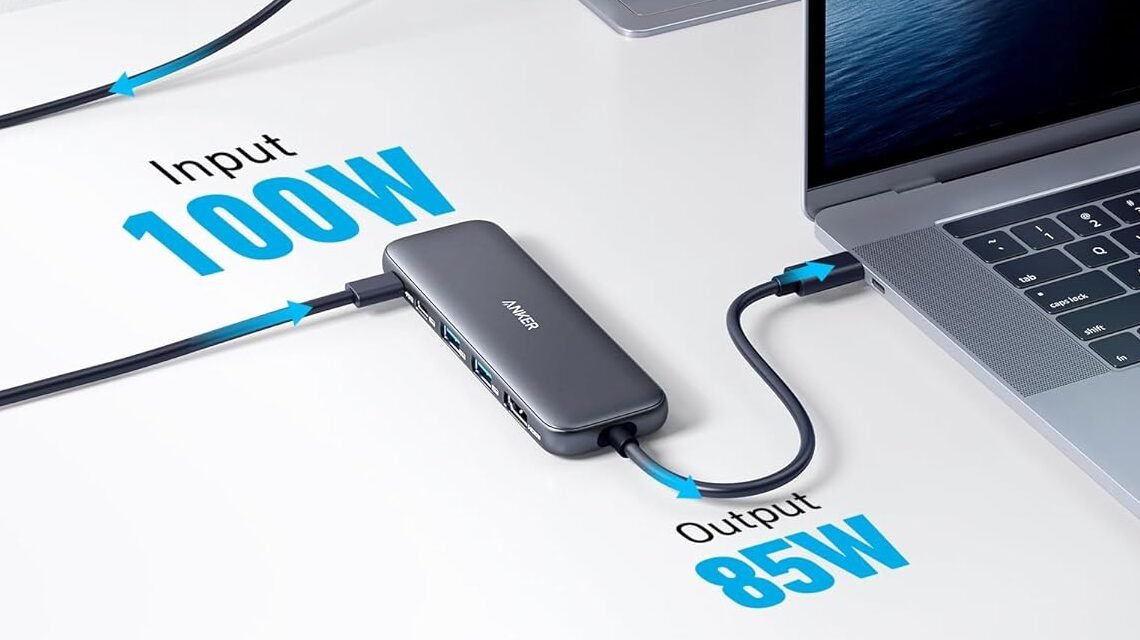
Anker 332 USB-C Hub Review: The Anker 332 USB-C Hub is a compact way to add essential ports to a USB-C laptop or tablet. It combines HDMI, USB-C, two USB-A ports, and USB-C Power Delivery in a small 78 g design.
Best for: users who need a few extra connections without carrying a larger multi-port hub.
Anker 332 USB-C Hub at a Glance
5 ports
4K @ 30Hz
0.59in thickness
Data Speed
Up to 5Gbps
Power Delivery
Up to 100W input
Weight
78g
What We Like About the Anker 332
What Stands Out
- Compact and lightweight for travel
- Useful mix of HDMI, USB-A, and USB-C ports
- Supports up to 4K @ 30Hz external display output
- Supports up to 100W USB-C PD input
- Simple setup for everyday laptop use
What to Consider
- USB data speeds are limited to 5Gbps
- No Ethernet port
- No SD or microSD card reader
- HDMI is limited to a single external display
Who Is the Anker 332 USB-C Hub For?
A good fit if you:
√
Laptop users with limited built-in ports
√
Home-office setups needing basic port expansion
√
Users who frequently connect an external display
√
Travelers who want a lightweight USB-C hub
√
Everyday peripherals such as keyboards, mice, and USB drives
Consider another Hub if:
×
Users who need Ethernet connectivity
×
Photographers or creators who regularly use SD cards
×
Multi-monitor setups
×
Users who need 10Gbps USB data speeds
×
Desktop-style setups requiring many specialized ports
Anker 332 Performance and Everyday Use
The main appeal of the Anker 332 is its balance between port expansion and portability. Instead of adding every possible connection, it focuses on five commonly useful ports.
The HDMI port supports up to 4K at 30Hz, while the USB-C and two USB-A data ports support transfers of up to 5Gbps. This makes it more appropriate for general office work, peripherals, and everyday file transfers than demanding high-speed storage workflows.
Its 100W PD input is useful when the laptop has limited charging connectivity, although the actual charging power delivered to the host depends on the charger, cable, and host device.
If you’re still deciding which ports and features you actually need, see our How to Choose a USB-C Hub for a practical buying guide.
Overall, the Anker 332 is designed to keep things simple: essential connectivity in a small package.
Anker 332 Alternatives
If you need more connectivity, the Anker 555 USB-C Hub (8-in-1) is a natural step up with a broader selection of ports.
If portability is the main priority, the Anker 332’s five-port layout may be sufficient without paying for connections you do not use.
Not sure which fits your setup?
Read the full comparison → Anker 332 vs Anker 555: Which USB-C Hub Should You Buy?.
Anker 332 USB-C Hub FAQ
Yes. Its HDMI port supports up to 4K at 30Hz.
Yes. The dedicated USB-C PD input supports up to 100W input.
No. It does not include an Ethernet port.
Its compact design and 78 g weight make portability one of its main advantages.
Anker 332 USB-C Hub: Final Verdict
The Anker 332 is a straightforward USB-C hub for users who need a few essential ports without adding much bulk to their setup. Its compact design, HDMI output, USB-A connectivity, and USB-C PD support cover the basics for everyday work and travel.
Its limitations are equally clear: there is no Ethernet or card reader, USB data speeds top out at 5Gbps, and the HDMI output is intended for a single display. If those features are not part of your setup, the Anker 332 offers a simple way to expand a USB-C laptop without moving to a larger hub or dock.
For more options, see Best USB-C Hubs Under $50: Research-Based Picks for 2026.
Ready to Choose Your Work USB-C Hub?
Prices and availability can change, so check the current listing before purchasing.
Disclosure: Smart Desk may earn commissions from qualifying purchases made through affiliate links. This does not affect the price you pay and helps support our research-based content.
Sources & Last Updated
Primary sources:
Last Updated: October 3, 2026
Research status: Research-based review. Smart Desk has not independently hands-on tested this product.